

TRAINING GUIDE
How to play
The goal of the game is to hit your ball into the hole in as few strokes as possible. The fewer the strokes, the higher your score. Maximize your drive distance, avoid bad terrains, and land on the green near the flag to score more points.
Survey the Course
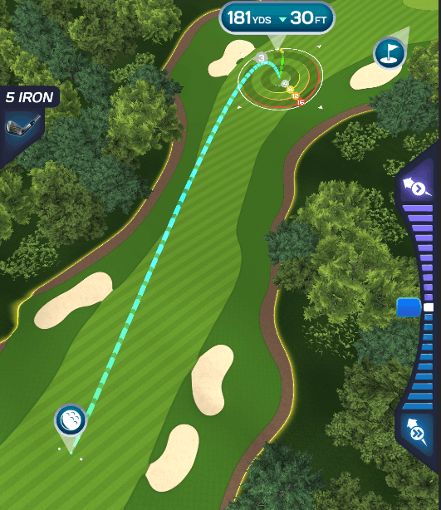
Before taking your shot, take a moment to survey the course. To pan the camera around the map, tap on the screen outside of the white ring around the aim target, and drag across the screen to move in different directions. Use two fingers to pinch the screen to zoom the camera in and out.
Aim your Shot
Once you’ve surveyed the course, drag, pinch, and rotate to move the camera where you want to send the ball. To aim the ball, drag the circular target to your desired aim point. Note that the dotted line shows the path of the shot, which does NOT account for wind.
Check the wind
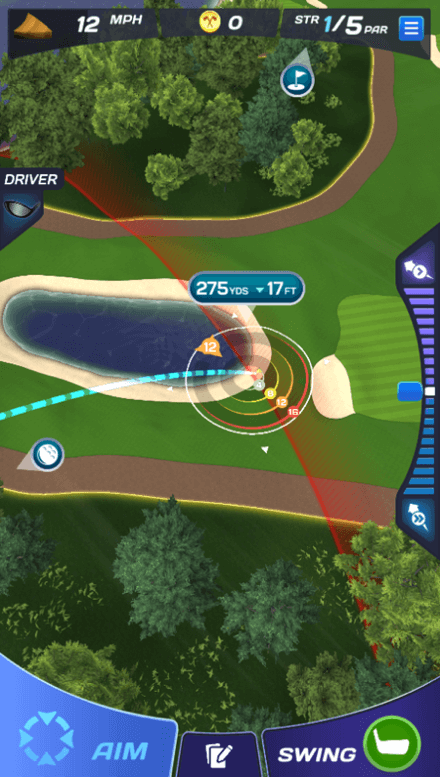
Make sure to account for wind in each of your shots.
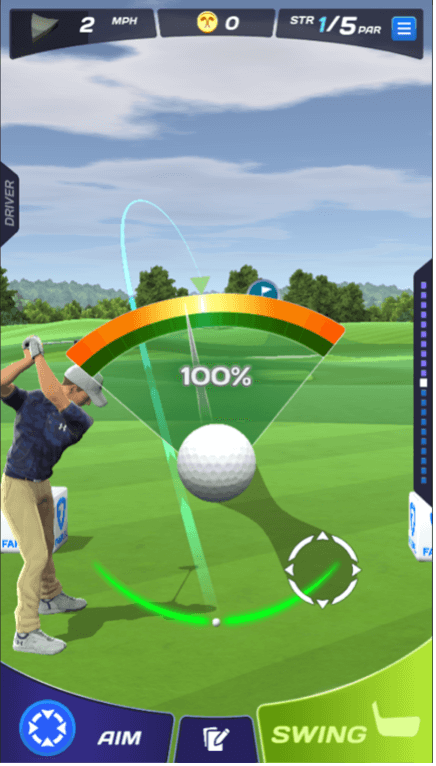
The flag shaped arrow around the aim target indicates the wind speed and the direction it’s going. The colored rings around the target indicate where the ball will land based on where the flag arrow is pointing. Numbered circles accounting for different wind speeds appear on the rings in the direction the arrow is pointing
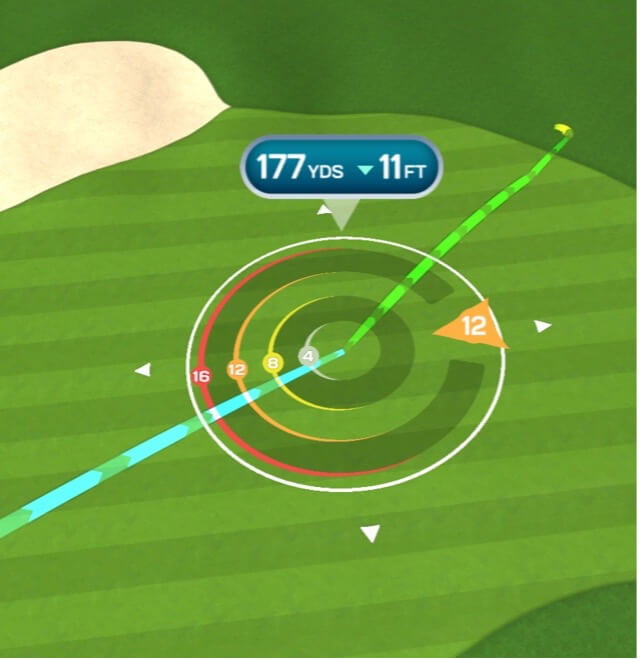
In this example, the wind speed is 12. This means that with a 100% perfect swing, the ball will land on the orange ring labeled 12.
Set your Spin
Once you’ve placed your aim target, it’s time to set your spin. Use the slider while in aim mode to give your ball the desired amount of spin. Note that landing in bad terrain, such as rough and sand, will limit your ability to use backspin.

Dragging the slider up will give the ball topspin. The ball will go and roll farther and have a shorter arc in the air. The wind won’t affect your ball as much.
Dragging the slider down will give the ball more backspin. The ball’s arc in the air will be higher and won’t roll as much. The wind will also affect your ball much more.
Swing the Club
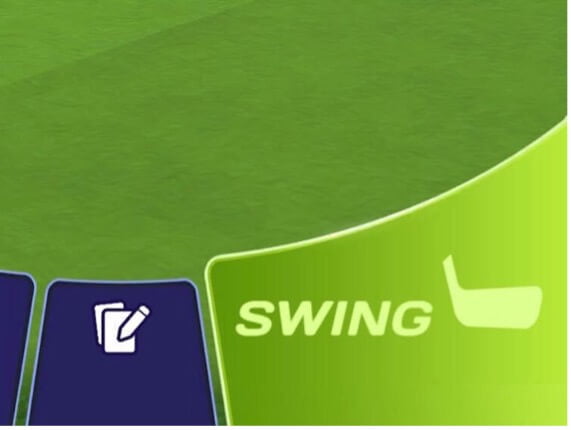
Now that you’ve aimed your ball and set your spin, it’s time to swing. Enter swing mode by tapping the green Swing button at the bottom right of the screen. You’ll be taken to a view of your golfer, who will be teed up and ready to swing.
Tap and drag the circle in the center of the screen to set up your swing. Pull the circle back to hit with more power. Pull the circle back less to hit with less power.
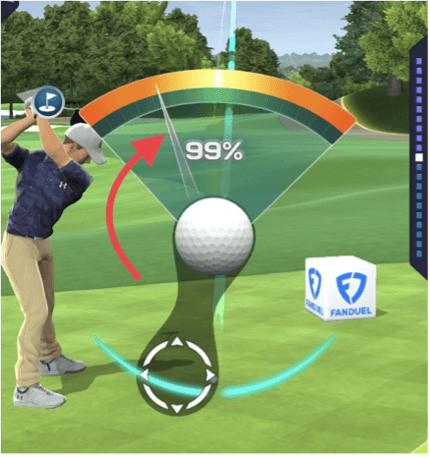
When you pull back on the ball, a meter will appear on the screen. Releasing the ball when the swing needle is in the center of the meter will yield you a perfect shot. Hitting a perfect shot will cause the ball to go its maximum distance relative to the aim target. The farther you pull the ball back, the faster the swing needle will move – so only use the amount of power you need. You can pull the ball back 110% power, but it’ll make the needle swing much faster.
Shape your Shot
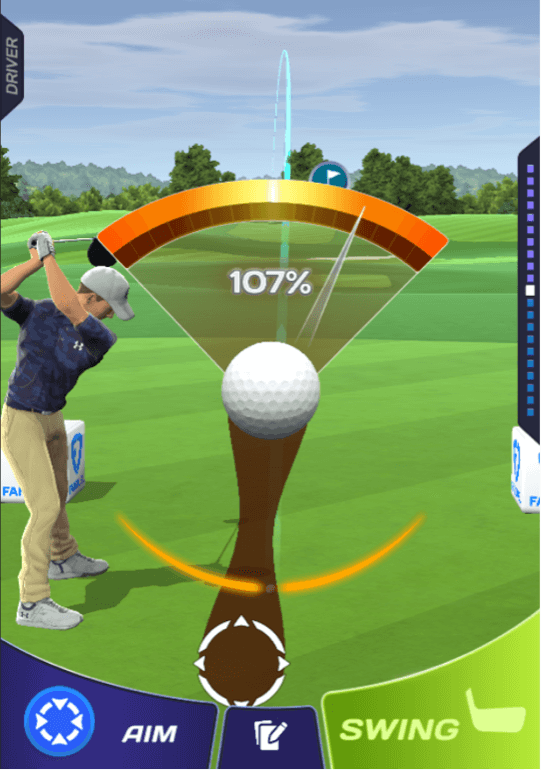
Releasing the swing in the center of the aim meter while pulling to the left will perform a draw shot. The ball will curve to the left in the air and roll to the left once it hits the ground.
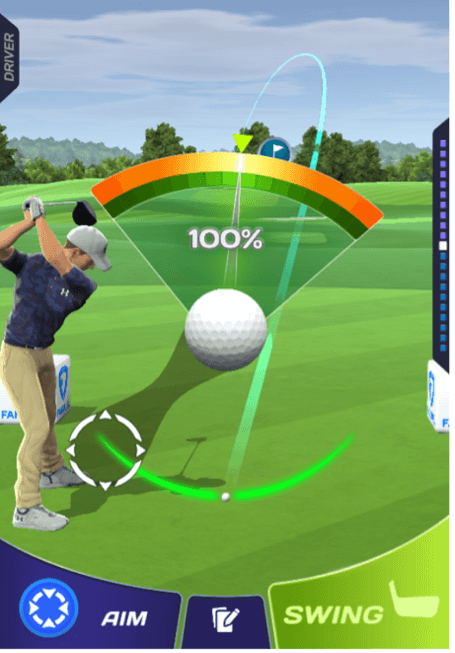
Releasing the swing in the center of the aim meter while pulling to the right will perform a fade shot. The ball will curve to the right in the air and roll to the right once it hits the ground.
Putting
When the ball lands on the green or fringe, you’ll go into putting mode. A grey circle will appear in the middle of the screen. When you drag the circle back, a green arrow and circle will appear. The arrow shows the direction the ball will go, and the circle shows the distance the ball will travel on flat ground.
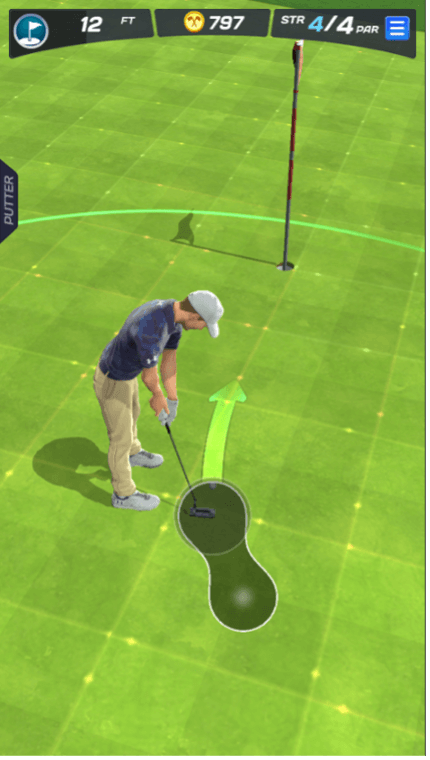
The elevation of the terrain is shown in colored lines on the terrain. Stationary lines show flat terrain. Moving pips show that the terrain is sloped downhill in that direction.
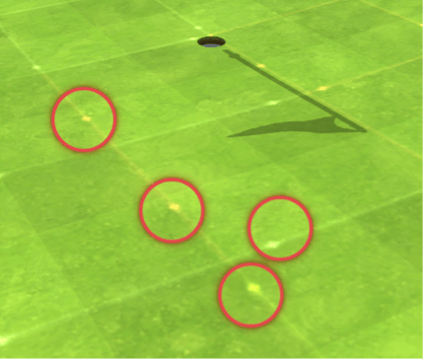
• Green lines indicate a slight slope
• Yellow lines indicate a more pronounced slope
• Red lines indicate a steep slope
If you get within a foot of the hole, you can tap the “Gimme” button to automatically send the ball into the hole.
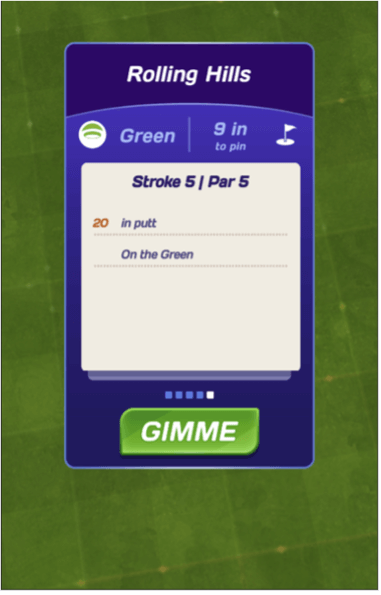
Keep in mind – putts still count as strokes!
Game End
You can end the game early by going into the settings and tapping the End Game button. Your current score will be awarded without a completion bonus.
The game ends in two ways:
Too many strokes: Taking too many shots before making it into the hole will result in the game ending. The game will end after you pass Triple Bogey.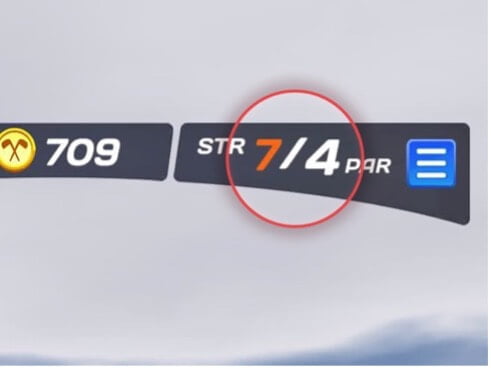 Timeout: Although there’s no in-game timer counting down, the game will end after a certain period. The timer begins when you click the start button. For one hole, the game will end after five minutes. For three holes, the game will end after ten minutes.
Scoring
Your score is determined by the number of strokes it takes you to finish the course. The fewer strokes, the higher the score.
Stroke scoring
| • Par 5 Hole in One | 40,000pts |
| • Par 4 Hole in One | 30,000pts |
| • Par 3 Hole in One | 20,000pts |
| • Albatross (3 under par) | 16,000pts |
| • Eagle (2 under par) | 14,000pts |
| • Birdie (1 under par) | 12,000pts |
| • Par (on par) | 10,000pts |
| • Bogey (1 over par) | 8,000pts |
| • Double Bogey (2 over) | 6,000pts |
| • Triple Bogey (3 over) | 4,000pts |
Tie Breakers Scoring
If you and your opponent(s) complete a course in the same number of strokes, the winner of the contest will be determined by:
Drive Distance: The farther the ball travels off the tee, the more points are awarded.
Drive distance score = 1 point per yard
+200 points for landing on fairway or green in regulation
Green in Regulation Bonus: Earn additional bonus points for reaching the green in regulation. Reaching the green in 2 or 3 strokes under par earns you even more points.
Landing Near the Flag: The closer you land to the flag, the more bonus points you will receive.
Pro Tips
• If a tree or mountain obstructs your aim, try a draw or fade shot to get around it
• Shooting off the rough sometimes gives your next shot a better vantage point
• Reduce backspin to minimize the wind’s effects
• When you get to the green, study the direction of the dots to read the slope
• Bounce the ball off the fairway or rough to minimize the ball’s roll
• Taking a risky path might increase your chances of landing in sand or water
• There’s no time bonus, so take time to plan your strokes
• The more backspin you add, the higher your ball will go
• Avoid water and out-of-bounds at all costs
• Use hills to add extra roll and distance to your strokes