



How it works

JOIN FANDUEL
Sign up and verify your identity, it's easy and takes less than 2 minutes

MAKE YOUR
FIRST DEPOSIT
Fund your account with $5+

GET IN ON THE ACTION
Score $150 in Bonus Bets if your first $5 bet wins!
FREQUENTLY ASKED QUESTIONS
How do I share my bet to Community Feed?
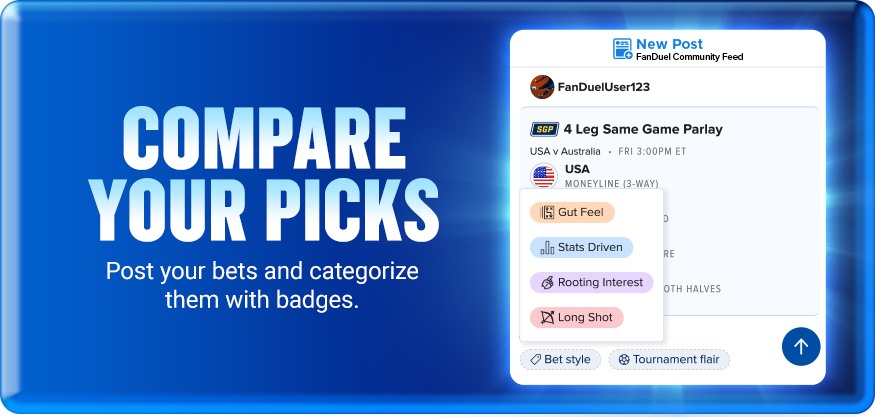
After you place a bet, tap Share Bet on your bet receipt. You can also share any open bet from your My Bets page. Pick a badge (Gut Feel, Stats Driven, Rooting Interest, or Long Shot) to let the community know your reasoning, and your bet goes live on the feed.
What's a display name and how do I create one?
Your display name is how the community sees you on the feed. You'll need one before you can share a bet. Head to the My Posts tab to create yours. It takes a few seconds and you can change it later in Account Settings.
Can I follow other bettors or comment on bets?
Not yet, but it's coming. We're adding new features regularly based on how the community uses the feed. Stay tuned.
Where do I find Community Feed?
Tap the Community Feed icon in the top nav on the homepage (third icon from the left). You can also access it by tapping Share Bet on your bet receipt or My Bets page, or through any Community Feed banners throughout the app. Community Feed is available on the FanDuel Sportsbook mobile app only, not desktop.
Gambling Problem? Call 1-800-GAMBLER or 1-800-MY-RESET.
Call 1-888-789-7777 or visit ccpg.org/chat (CT). Hope is here. GamblingHelpLineMA.org or call (800) 327-5050 for 24/7 support (MA). Visit www.mdgamblinghelp.org (MD). Call 1-877-8HOPE-NY or text HOPENY (467369) (NY).
21+ (18+ D.C., KY, WY) and present in select states (for KS, in affiliation with Kansas Star Casino). First online real money wager only. $5 first deposit required. Bonus issued as nonwithdrawable bonus bets which expire 7 days after receipt. Restrictions apply. See terms at sportsbook.fanduel.com. Call 1-877-770-7867 (LA).